
Download Podcast Maker – Easy Podcast Creation, Free Trial for Mac
Overview
Podcast Maker is a lightweight, Mac‑only internet software designed specifically for creators who want to turn audio, video, or PDF files into fully‑featured podcast episodes without a steep learning curve. First introduced to our selection in 2006, the program has amassed over 6,000 downloads and continues to attract podcasters from the United States, Germany, and the Russian Federation. The current 1.4.0 version, updated on July 21 2009, adds custom tags, a 600 × 600‑pixel podcast image compliance, and several bug fixes that improve stability on macOS Leopard and later. Though it is offered as a trial version, the core functionality—including RSS feed generation, chapter image handling, and episode metadata editing—is fully accessible, making it an ideal entry point for hobbyists and small‑scale producers.
The tool fits neatly into the “News > RSS” subcategory, reflecting its primary purpose: to automate the creation and distribution of podcast feeds that can be submitted to iTunes, Spotify, and other directories. Because it occupies minimal disk space compared to other internet software, Podcast Maker is a good choice for users who want a clean, uncluttered system while still enjoying a professional‑grade podcasting workflow.
Key Features
- Automatic RSS Feed Builder: Generates a standards‑compliant RSS file with support for iTunes‑specific tags.
- Custom Tags Field: Adds user‑defined tags to each episode for better categorisation and searchability.
- 600 × 600 Podcast Image Support: Ensures artwork meets the latest podcast specification, improving visibility on platforms.
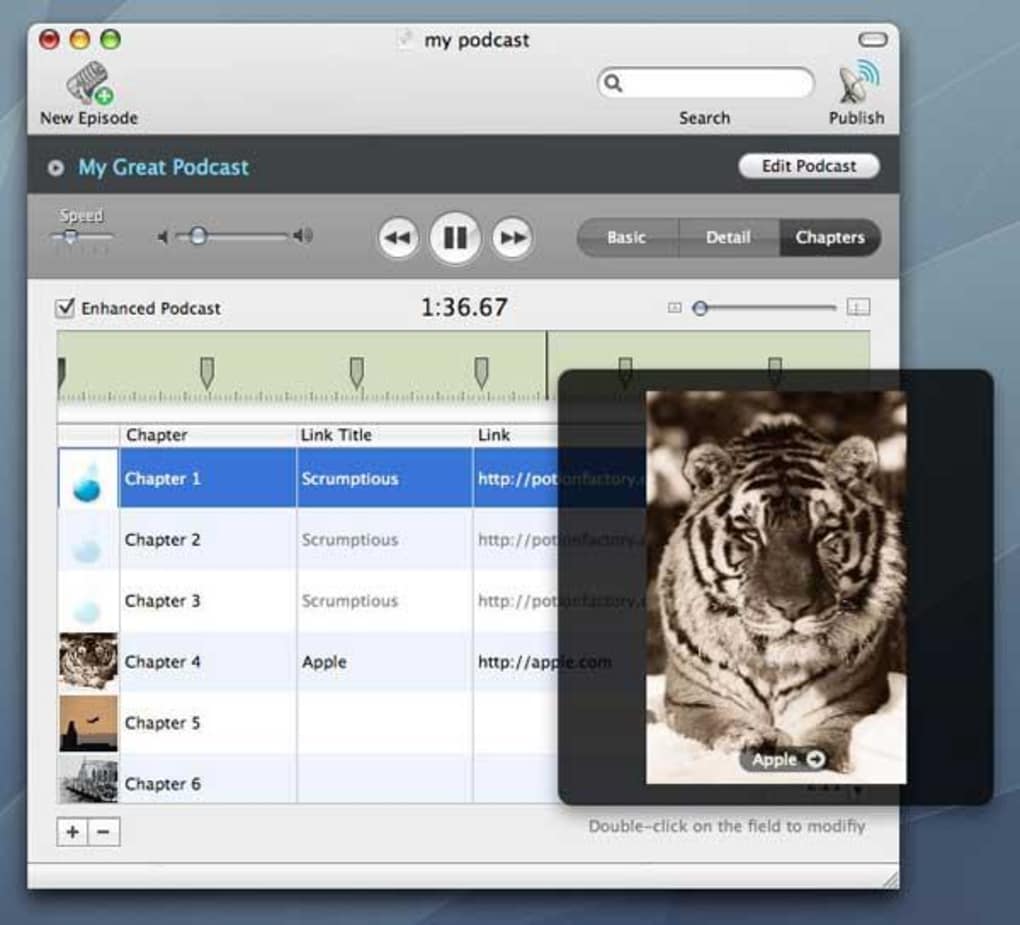
- Chapter Image Management: Sets a default maximum size of 600 × 600 for chapter images, simplifying visual consistency.
- Progress View Knob Centering: Provides a polished UI experience on macOS Leopard and newer.
- Video & PDF Episode Handling: Allows non‑audio files to be included without triggering unnecessary re‑uploads.
- MacHeist License Removal: Eliminates outdated promotional licensing, delivering a cleaner installation.
- Lightweight Installation: Takes up less disk space than most competing podcast tools, preserving system resources.
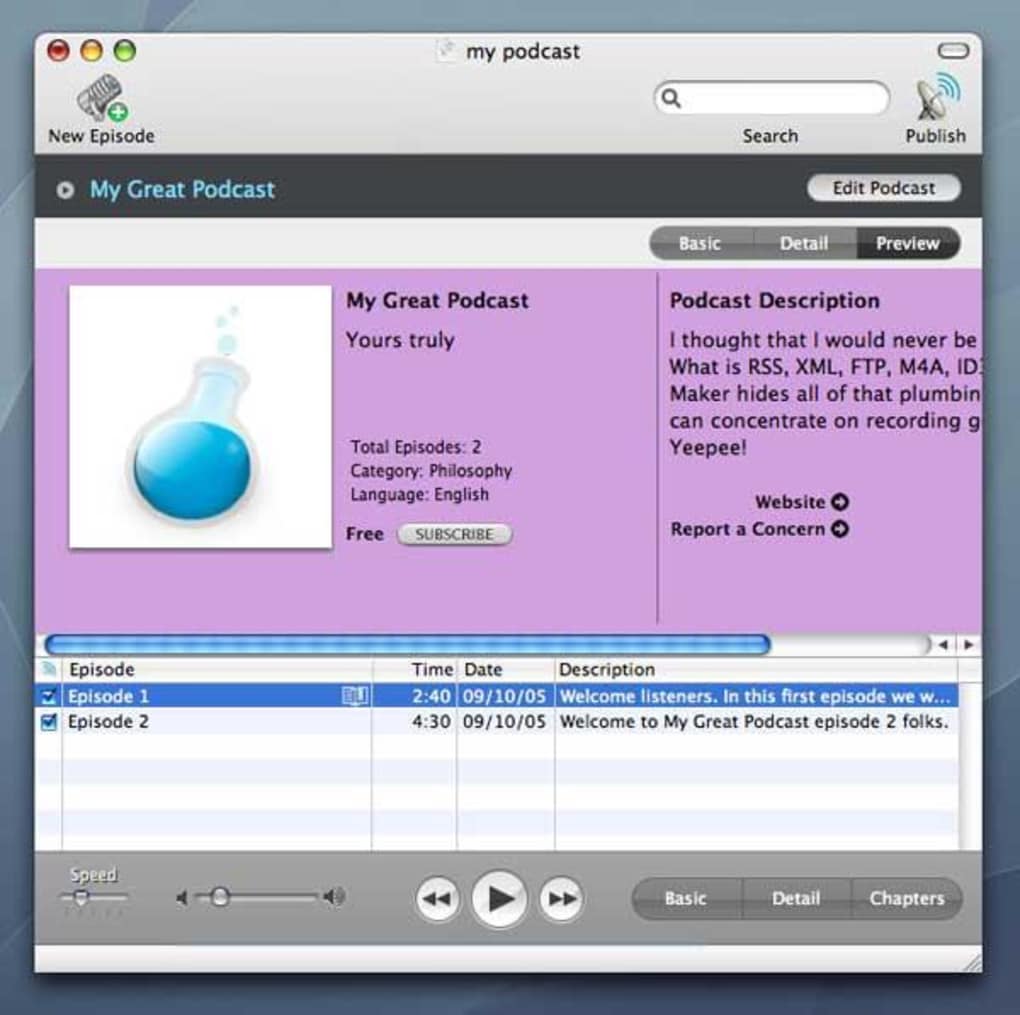
Beyond these core capabilities, Podcast Maker includes a suite of advanced options such as episode scheduling, automatic chapter numbering, and integration with external hosting services via simple URL configuration. The interface is intentionally straightforward, with drag‑and‑drop import, real‑time preview of feed entries, and a “quick publish” button that instantly pushes updates to your chosen podcast directory.
Installation & Usage Instructions
Getting started with Podcast Maker is a breeze, even for users who have never edited an RSS feed before. Follow these steps to download, install, and publish your first episode:
- Download the Installer: Click the “Download Podcast Maker” button below. The file is a compressed
.dmgpackage compatible with macOS X and later. - Mount the Disk Image: Double‑click the
.dmgfile. A virtual drive will appear on your desktop. - Copy to Applications: Drag the Podcast Maker icon into the
/Applicationsfolder. macOS may request administrator credentials; enter them to complete the copy. - Launch the App: Open Podcast Maker from the Applications folder. The first‑time launch will prompt you to grant access to your Media Library and the folder where you store podcast assets.
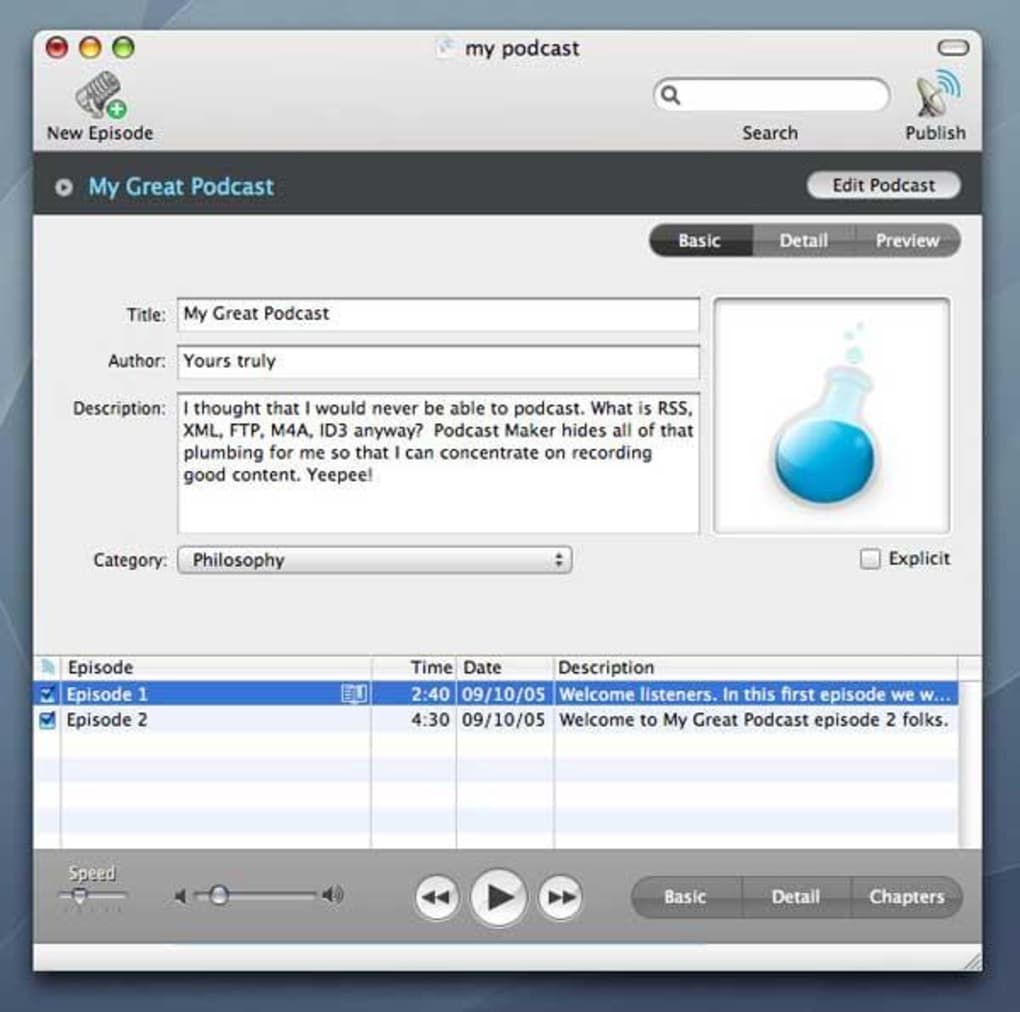
- Configure Your Podcast: In the “Podcast Settings” window, fill in the title, description, author name, and upload a 600 × 600 image. The custom tags field lets you add keywords like “technology” or “interview” for better discoverability.
- Add Episodes: Click “Add New Episode,” then drag audio, video, or PDF files into the episode editor. Fill in episode‑specific metadata (title, author, publication date) and optionally attach a chapter image.
- Generate the RSS Feed: Press “Build Feed.” Podcast Maker automatically creates an XML file with all required tags, including iTunes‑specific fields.
- Publish: Upload the generated
.xmlfile to your hosting provider or paste the URL into the iTunes Connect submission form. Use the “Quick Publish” button to automatically copy the feed URL to your clipboard. - Update & Maintain: When you add new episodes, simply repeat steps 6‑8. The tool will preserve existing metadata and only append the new items, keeping your feed clean.
Because Podcast Maker is a trial version, you will encounter a periodic reminder to purchase the full license. However, none of the essential publishing features are locked, allowing you to evaluate the software thoroughly before committing.
Compatibility, Pros & Cons
Podcast Maker runs on macOS X (10.5 Leopard) and later versions, including macOS Catalina, Big Sur, and Monterey. It does not support Windows, Linux, Android, or iOS, so its audience is strictly Mac users who need a dedicated podcast creation tool.
Pros
- Free trial provides full podcasting functionality.
- Lightweight installer and low system footprint.
- Automatic compliance with current 600 × 600 podcast artwork standards.
- Intuitive drag‑and‑drop interface reduces learning curve.
- Custom tags and chapter image options give extra flexibility.
- Stable performance on older macOS versions (Leopard).
Cons
- Limited to macOS; no Windows or mobile versions.
- Last software update was in 2009, so newer macOS features may be missing.
- Trial version displays occasional purchase reminders.
- No built‑in hosting; users must supply their own server or CDN.
- Advanced analytics and monetisation tools are absent.
Overall Rating: 4 out of 5 stars – Podcast Maker delivers a solid, no‑frills experience for Mac‑based podcasters who value simplicity and compliance over extensive analytics.
Frequently Asked Questions
Is Podcast Maker really free to use?
Yes, the trial version is free and includes all core podcast creation features. You will only see occasional prompts encouraging you to purchase the full license, but no functionality is locked.
Can I publish directly to iTunes from Podcast Maker?
Podcast Maker generates a standards‑compliant RSS feed that you can submit to iTunes (now Apple Podcasts) via the iTunes Connect portal. The app does not push the feed automatically; you must upload the XML file manually or host it on a server.
What audio formats are supported?
The software accepts MP3, AAC, WAV, and AIFF files. Video formats such as MP4 are also allowed for podcast episodes that include visual content, and PDFs can be attached as supplemental material.
Do I need a separate web server to host my podcast?
Yes. Podcast Maker only creates the RSS feed and episode files; you must upload them to a web server or a podcast hosting service that provides a public URL for the feed.
Is Podcast Maker compatible with macOS Monterey?
The application runs on macOS 10.5 Leopard and later, which includes Monterey. Although the software has not been updated since 2009, it remains functional on modern macOS releases.
Can I add custom chapter images for each episode?
Yes. The “Chapter Image” field lets you assign a 600 × 600 image per episode, ensuring visual consistency across podcast directories that support chapter artwork.
Conclusion & Call to Action
Podcast Maker stands out as a focused, Mac‑only solution that streamlines the often‑complex process of creating a podcast RSS feed. Its free trial offers a full suite of essential tools—custom tags, 600 × 600 artwork compliance, and robust episode handling—without the bloat of larger internet software suites. While the lack of recent updates and Windows support may limit its appeal to a broader audience, anyone working within the Apple ecosystem will find its lightweight design and straightforward workflow invaluable.
If you’re ready to launch your podcast quickly, securely, and without a hefty learning curve, download Podcast Maker now and start publishing your first episode today. Remember to test your feed with a validator before submitting to directories to ensure a smooth launch.







